 Merge
Draw a signature
Draw with a finger, mouse, or pen and save your mark as a transparent PNG.
Result
A hand-drawn sample mark
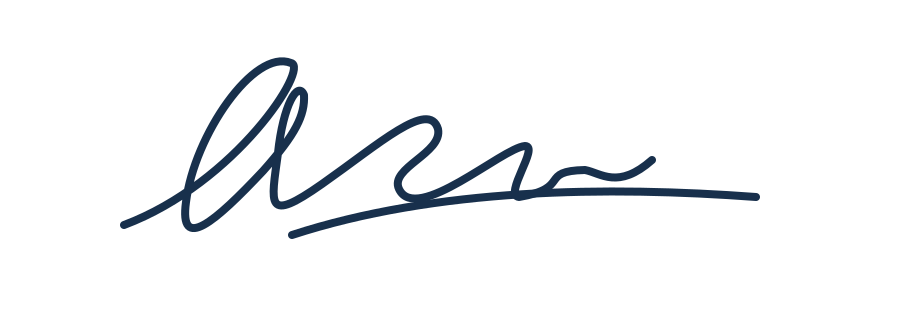
Leave room for the whole mark
Use a finger or stylus on a phone, or hold the mouse button down on a desktop. Start far enough from the left edge that there is room for a tall first letter or an opening curve. Keep descenders and long pen strokes inside the drawing area. The preview shows the complete canvas, including blank space around the writing. On a small screen, rotating the phone can give your hand more room while keeping the drawing on the same canvas.
Refine a stroke without starting over
Lift your finger or release the mouse between separate strokes. Undo stroke removes the most recent one, which is useful if a finishing line goes too far. Clear signature resets the pad when you want to start again. Change Ink or Stroke width to update the whole drawing. Use a slightly thicker line if the mark will be shown small. Try a lighter ink when placing the mark over a dark document background, and preview it at its intended size.
Use the PNG in a layout
Save the result as a PNG. The unmarked part of the drawing remains transparent, so the background of a card, note, or layout can show through. If you need a tighter fit, use Crop image to trim empty pixels and keep a comfortable margin around each stroke. You can also combine transparent PNGs when you want to place the mark next to an illustration. Preview the exported file on the background where it will appear to check that the lines are legible and fully inside the image. Store a copy wherever you normally keep your artwork.
| Undo stroke | Remove your most recent line or dot. |
|---|---|
| Clear signature | Start the drawing again on a blank canvas. |
Frequently asked questions
Do I have to draw without lifting my finger?
You can draw as many separate strokes as you need. Undo removes the last one.
What is the size of the signature file?
The drawing exports at 900 × 330 pixels, including the clear area around the ink.
Why is the pad pale before I save?
The pale color helps you see the ink while drawing. The unmarked PNG pixels are transparent.